
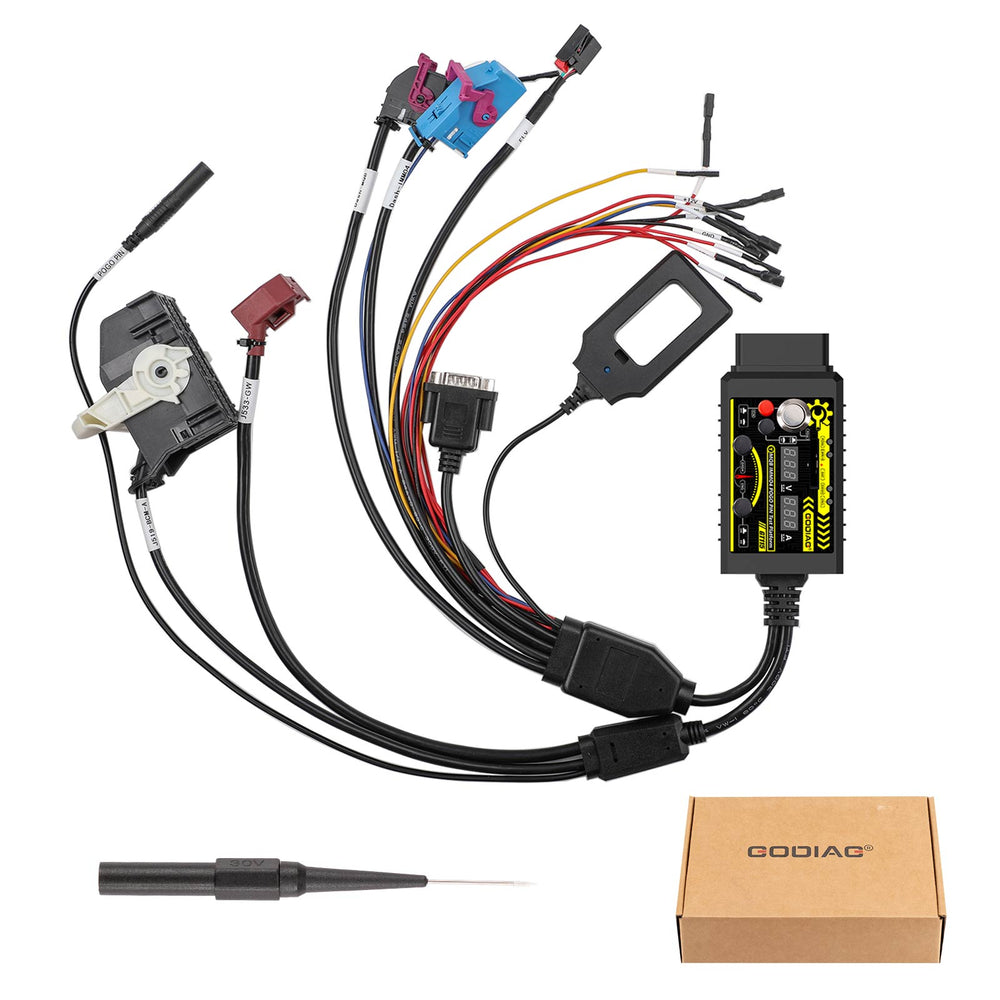
GODIAG GT115 2-in-1 MQB & IMMO4 Test Platform with POGO PIN for VAG CAN-Bus UDS Data Read/Write (Upgraded GT110)
$79.00
Package: 20.2cm*15.1cm*5cm ( Inch: 7.93*5.93*1.96 )
30-day return · buyer pays return shipping · read details
Fast Shipping & Tax Free
US
Ship from US
EU
Ship from EU
UK
Ship from UK
The GODIAG GT115 is a professional 2-in-1 connecting cable and test platform designed for the VAG MQB and IMMO4 CAN-Bus UDS systems. It allows automotive locksmiths and engineers to conveniently perform off-vehicle operations—such as IMMO programming, key matching, and diagnostics—without working directly inside the vehicle.
Equipped with advanced POGO PIN technology, it ensures stable data reading and writing directly from the dashboard without damaging the cables or requiring tedious soldering.
Key Features & Highlights
- Advanced POGO PIN Design: Read and write dashboard data with precision. Offers a much more secure hold and prevents any damage to the vehicle's original wiring.
- Dual System Compatibility: Seamlessly supports both VAG MQB and 4th Generation IMMO4 platforms.
- Real-Time Monitoring: Dual digital displays show the current power supply voltage and operating current in real-time for safer diagnostics.
- On-Bench Convenience: Move your diagnostic work from a cramped car interior to the comfort of your workbench.
- Battery Voltage Detection: Built-in detection for CR2032 key fob batteries to ensure optimal performance during programming.
Comprehensive Product Functions
- Synchronous Detection: Effortlessly test and detect keys and vehicle IMMO modules simultaneously.
- Standalone Diagnostics: Perform independent diagnostics for both the engine and power expansion modules.
- Gateway Communication: Conduct communication diagnostics and programming tests for engine/power modules via the gateway module.
- BCM to Gateway Testing: Connect the BCM module with the gateway for seamless programming and communication tests (Note: Press the corresponding switch when required).
- Gateway Module Detection: Quickly verify the health and status of the gateway module.
Step-by-Step Guide: How to Use the POGO PIN
Follow these steps to safely enter the POGO PIN read/write mode:
- Preparation: Connect the power supply. (Ensure the main power switch is turned OFF).
- Ignition: Turn ON the IGN ignition power switch.
- Plugin: Securely connect the instrument cluster plug.
- Alignment: Locate the designated POGO PIN connection point on the dashboard and align it firmly with the probe.
- Activation: Turn on the main power switch for 3–5 seconds. Once the ABS light begins to flash, you have successfully entered the POGO PIN read/write mode.
Package Includes:
- 1pc x GODIAG GT115 Test Platform Main Cable
- 1pc x POGO PIN Probe Assembly
Reviews coming soon.